
Play snooker online with friends.
Share a table with a friend on a phone or computer. Snooker Rivals runs in a compatible browser on PC, Android and iPhone, so you can play together without installing the same app.
Create a free table
- Open Play, then Online Play and Pick up matches.
- Choose Free Entry to browse free rooms, or use Create a room to make a free table.
- Choose a private match if you want to play with a particular friend. Follow any sign-in or account prompts shown by the game.
- Select six reds for a shorter frame or fifteen for a standard frame. Create your room.
Free tables have no coin entry. Coin-entry rooms are separate and show their entry amount. You do not need a coin-entry room to play with a friend.
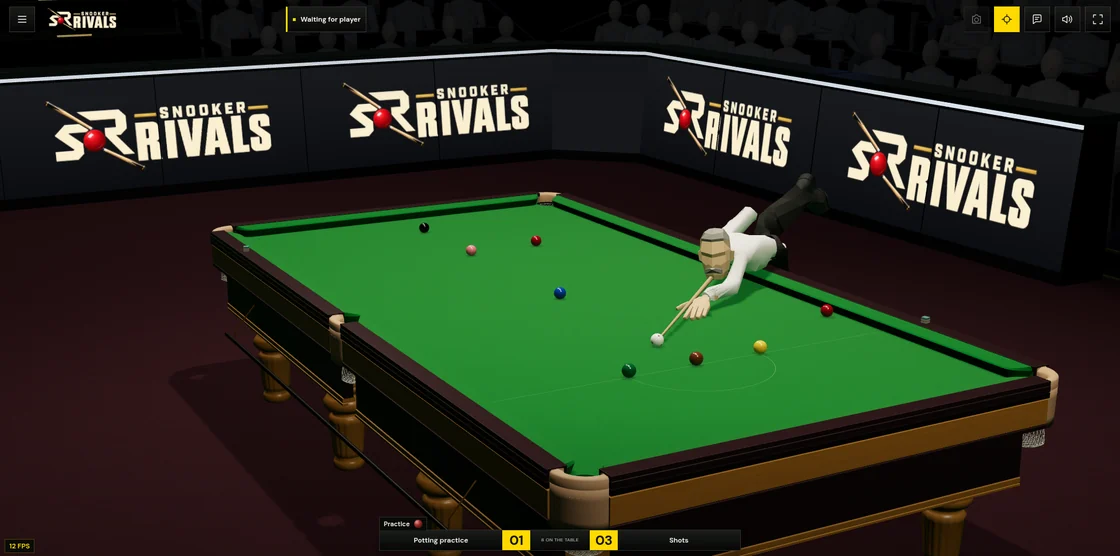
Invite your friend or share the room code
Use the room invitation controls to invite someone from your friends list, or share the invitation link or six-character table code displayed for the room. Your friend should open the link in their browser, or enter the code in Find a room. A private room may require an invitation, so use the game's invite controls when prompted.
You can practise at your table while waiting. When your opponent arrives, follow the ready controls to start the match together. The match starts with a fresh rack.
Join a public table
If your friend has made a public room, choose the same Free Entry category and look for their open table. Public rooms can be joined or watched by other players. Use a private room when you want to control who joins.
Play across phones and computers
A player using a mouse on a PC can share a match with someone using touch controls on Android or iPhone. Both players need an internet connection for an online match. Read the mobile guide for orientation and iPhone fullscreen advice.
Take turns on one device
For local two-player play, open Create a room and choose the offline/local setup with two players. Take turns using the same controls on one phone, tablet or computer. This mode does not put you in an online room and does not count towards online records.
Get comfortable before your first frame
Solo practice gives you time to learn aiming, power and cue-ball spin. The controls and rules guide explains the red-and-colour sequence, scoring and fouls. Snooker Rivals is in alpha; if a room or shot behaves unexpectedly, contact Support with your device and a description of what happened.